Cyberdise AG

Microsoft Defender Attack Simulator - What is Wrong With It?

Published Date:

It is obvious that Microsoft offers a phishing simulation tool. Unfortunately, organizations that genuinely care about having attentive employees who are well-sensitized to cyber risks are not well served by it.

The great thing about trade show season is that you get to have personal conversations with many cybersecurity specialists. And I’ve just learned from several German and Swiss mid-sized companies that they have let their contracts with their awareness vendors expire and are instead relying on Microsoft Defender Attack Simulator. After all, this product is included with E5 licenses – so why use anything else?

For me, the argument is entirely understandable, even more so when you’re part of German industry in 2026 and facing major economic challenges. But I know that Microsoft Defender Attack Simulator is one of the weakest products I’m aware of.

What I mean by that: a) Employee awareness training and improving staff risk behavior require a foundational set of capabilities that Defender simply does not have. And b) the Attack Simulator is a very basic, bare-bones tool. The result is that larger companies with an E5 license can save on the cost of a cybersecurity awareness tool – but in doing so, the operational effort of running an awareness program within the security team absolutely explodes. No joke.

Challenges When Working with Defender

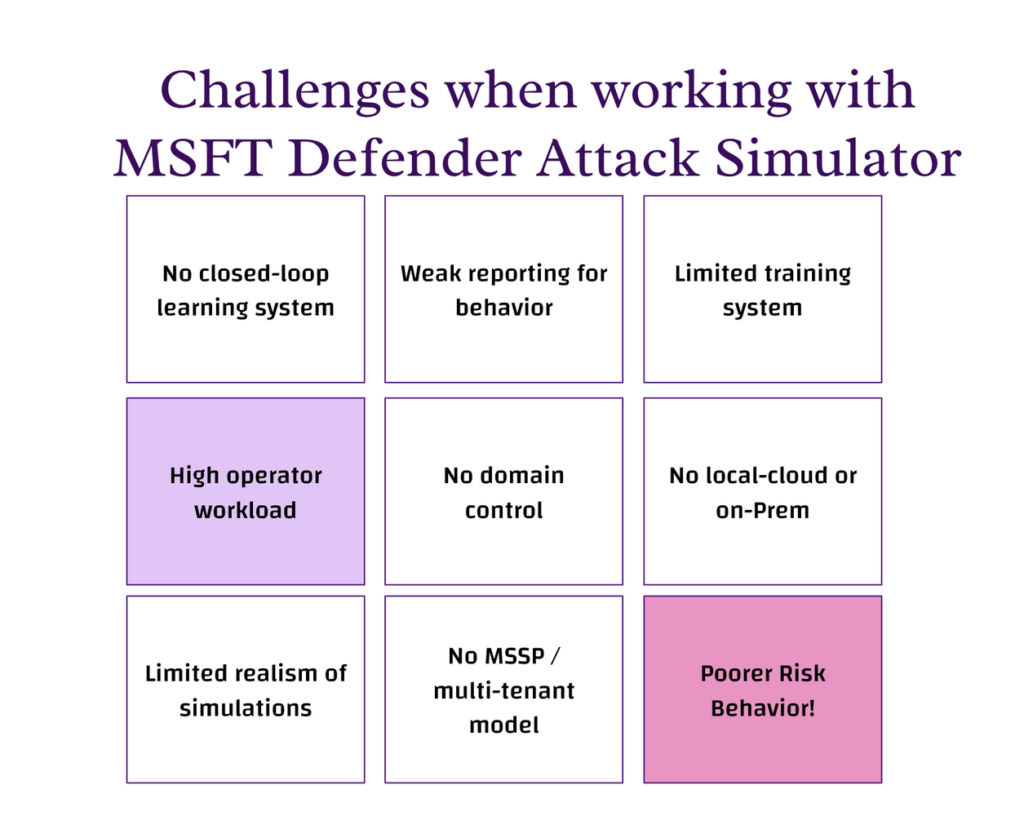
What is wrong with MST Defender Attack Simulator - challenges operating it

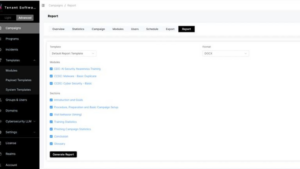
Our personal experience and interviews with several infosec engineers who maintain human risk systems all paint a similar picture. Defender Attack Simulator is excellent for quickly and easily creating a phishing exercise. But after that, things get tricky. You’re soon faced with these challenges: 

  1. No closed-loop learning system
  2. High operator workload
  3. Limited realism of simulations
  4. Weak reporting for behavior
  5. No domain management & control
  6. No MSSP / multi-tenant model
  7. Limited training system
  8. No local-cloud or on-Prem

1. No closed-loop learning system

In Microsoft Defender Attack Simulator, the process is linear and basic: you run a simulation, get a report, and optionally assign basic training. There is no continuous feedback or learning loop built into the system. There is also no possibility to run sophisticated exercises or add your own attack domains.

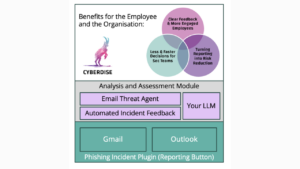
In our solution, CYBERDISE│Cyberdise Awareness, the process is cyclical: a reported event is analyzed, explained to the user, turned into a simulation, followed by targeted training, and then repeated continuously to improve behavior over time.

2. High operator workload

Mittelstand, Corporates and MSSPs need automation to scale effectively. Otherwise they have to employ multiple FTE for maintaining even a basic level of awareness.

Microsoft Defender Attack Simulator

  • Manual user targeting 
  • Manual campaign creation 
  • Manual follow-up 
  • Only one AD Domain

Best-Practice Awareness Solutions

  • Dynamic user grouping 
  • Multi source user synch
  • Automated campaigns 
  • Automated follow-up training 

3. Limited realism of simulations

In Microsoft Defender, simulations rely on templates with basic customization and offer limited personalization. Newest awareness solutions like ours use AI and OSINT to create spear phishing scenarios with dynamic difficulty and personalized targeting. On top of that, multi-channel attack scenarios are also possible – today via text message, tomorrow via voice message, and the day after tomorrow via phishing simulation!

This difference becomes important because modern AI-driven social engineering is already as effective as human attackers, meaning basic simulations no longer reflect real-world threats [1].

4. Weak reporting for behavior

In Microsoft Defender, reporting focuses on click rates and compromise rates. Cyberdise, in contrast, tracks behavioral metrics, builds user risk profiles, and enables adaptive targeting.

This means that instead of only measuring failures, state of the art tools make it possible to track how user behavior evolves and improves over time.

5. No domain control

Microsoft Defender Attack Simulator provides nol over custom domains and delivery setup. A modern 3rd generation Awareness Tool, in contrast, supports custom domains, provides a DNS API, and allows multiple delivery methods.

The convenience of not having to whitelist domains in microsoft attack simulator undermines one of the most important skills that employees must master thoroughly: the ability to distinguish between harmless and potentially dangerous web addresses. 

6. No MSSP / multi-tenant model

Defender Attack Simulator is Single AD tenant oriented. An tool like Cyberdise masters multi-tenancy, white-labelling, Multi-AD/LDAP integrations and is MSSP-ready 

7. Limited training system

In Microsoft Defender, training is based on built-in modules with limited customization options. 

Cyberdise is one of the rare providers with a full LMS with SCORM import and export, as well as fully editable content. This allows organizations to align training directly with their internal policies and requirements (CISOs need to train their policies first).

8. Cloud-only

Microsoft Defender Attack Simulator runs only in the Microsoft cloud. There are some Awareness solutions which run everywhere. 

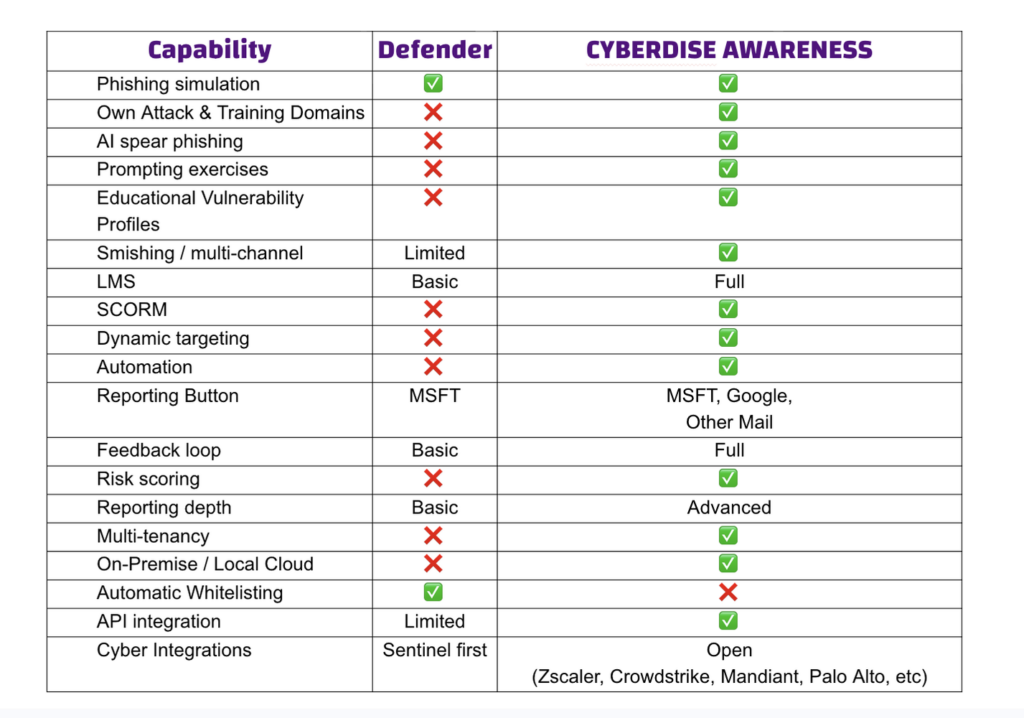
MSFT Attack Simulator vs Cyberdise – Simple Feature Comparison 

Comparisons in table form are always helpful. Here is a brief overview of my own assessment (2026) and experiences:

MSFT Attack Simulator VS CYBERDISE - comparison table

Conclusion: Cost Efficiency vs. Security Outcome

With Microsoft Defender, the license cost is low because it is included in E5, but the operational cost is high due to manual effort. The outcome is moderate, as the approach focuses on basic simulations and does not significantly improve user risk behavior. As a result, employees remain more vulnerable over time, which increases failure rates and ultimately raises the organization’s overall risk of being compromised.

With Cyberdise, the license cost is additional, but operational cost is lower due to automation. The outcome is higher, as the system is designed to continuously improve user behavior, leading to measurable risk reduction and a stronger overall security posture. On top of it Cyberdise improves risk behavior up to 60% better than other conventional awareness tools. 

My two cents. What do you think of Microsoft Defender Attack Simulator?

#humanauthored

We’re excited to share more cybersecurity insights, news, and updates with you in the upcoming editions of this newsletter. However, if you don’t find this helpful, we’re sorry to see you go. Please click the unsubscribe button below.

Enjoyed reading? Subscribe to our blog!