AI-Powered Template Translator
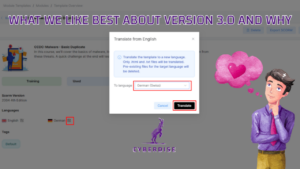
Instantly localize templates into any supported language using a guided AI workflow. Structure, tone, and intent are preserved automatically, ensuring consistent multilingual phishing simulations and awareness communications while eliminating manual translation effort.
Email Threat Agent
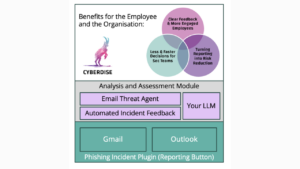
Emails reported as suspicious via the Cyberdise Report Add-in are automatically analyzed by an AI agent. Each email receives an Cyberdise Email Risk Score representing the phishing likelihood, displayed directly in the Incident Console, enabling faster triage, clearer prioritization, and more confident response decisions for security teams.
Automated Incident Feedback
End users automatically receive configurable feedback after reporting a suspicious email via the Cyberdise Report Button. Messages can include the Cyberdise Email Risk Score, improving transparency, reinforcing reporting behavior, and reducing manual follow-up for security teams..
Domain Registration for Tenants
Operators can now register Tenant domains directly through Cyberdise and assign leased domains to tenants. This allows the operator to use the full abilities of the Subdomain Management feature and flexibly assign Subdomains of Tenant Domains to Realms. On top, details of the registered domain are now displayed in the Billing Report. This enhancement improves operational visibility and supports more flexible domain management models.
Bring Your Own AI Key
Organizations can now configure their own OpenAI API key to control AI usage, monitor consumption, and align costs with internal governance and budgeting policies.
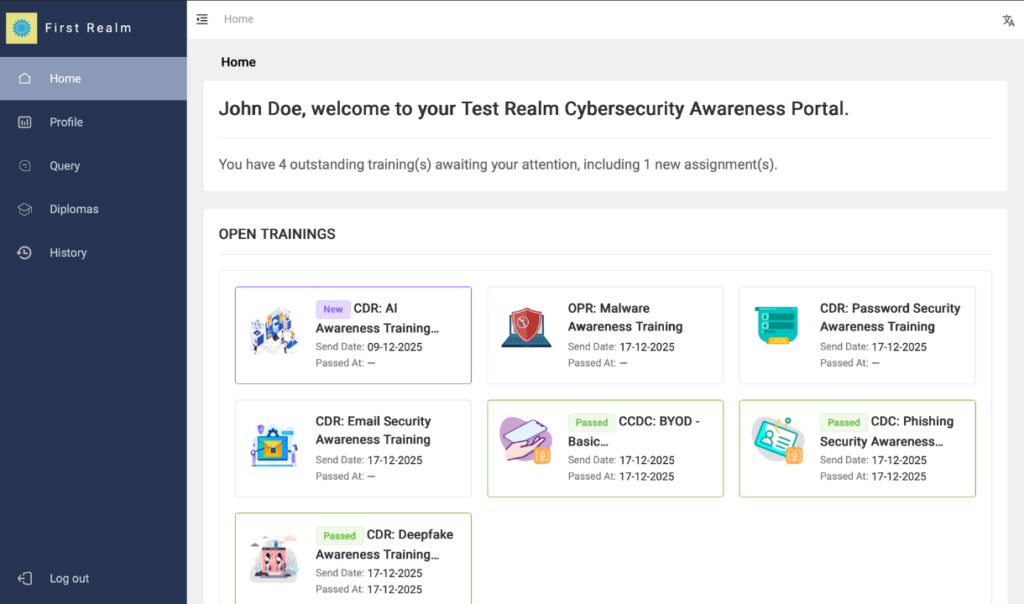
Start Trainings from User Portal Home Page
The User Portal home page now displays pending and newly assigned trainings. Enabling Users to start the Training from the User Portal. This ensures users have immediate visibility of pending actions and improves training completion rates.
User History Dashboard
The User History Dashboard now provides a complete overview of a single user’s interaction history. This gives administrators and Users themselves full visibility into user behavior and awareness progress.
Invitation to User Portal – Redesigned Workflow
The User Portal invitation process has been fully redesigned to replace previous workarounds and provide a simple, scalable solution.
New capabilities include:
- Sending invitations to all users in a realm with a single actiong
- Automatically sending invitations to new users added to selected groups
- Sending invitations to multiple groups, a single group, or an individual user
- Editing invitation email content with individual access links
- Automatically delivering invitations after a change in a user’s authentication method
This improvement significantly simplifies onboarding and access management.
Configurable in multiple languages.
Support for Multiple Microsoft Tenants per Cyberdise Realm for connecting multiple Microsoft tenants within a single Cyberdise realm has been added, simplifying complex enterprise setups.
Bulk White Labelling Enhancements
Improved Bulk White Labelling to allow Tenant Operators to create detailed Content Whitelabel Templates and improved navigation and usability when managing white-label configurations at scale.
Extended File Upload Support
Enabled upload of .ts and .m3u4 files in both the File Manager and Templates, a enable the use of HLS-Viedos.
Campaign Start Safety Warning
A warning popup is now displayed when starting a campaign without a generated schedule, reducing configuration errors.
User Group Export Functionality
Added an Export button for User Groups, allowing operators to download all available fields for manual comparison, auditing, or reporting.
User Group Filtering
Added realm filter and search functionality on recipient group pages to improve navigation in large environments.
Direct User Profile Access
Operators can now open a user profile directly from the user list.